

Feedback sheet is where you tell it, one reply at a time, and where you can have it try again.
Find it
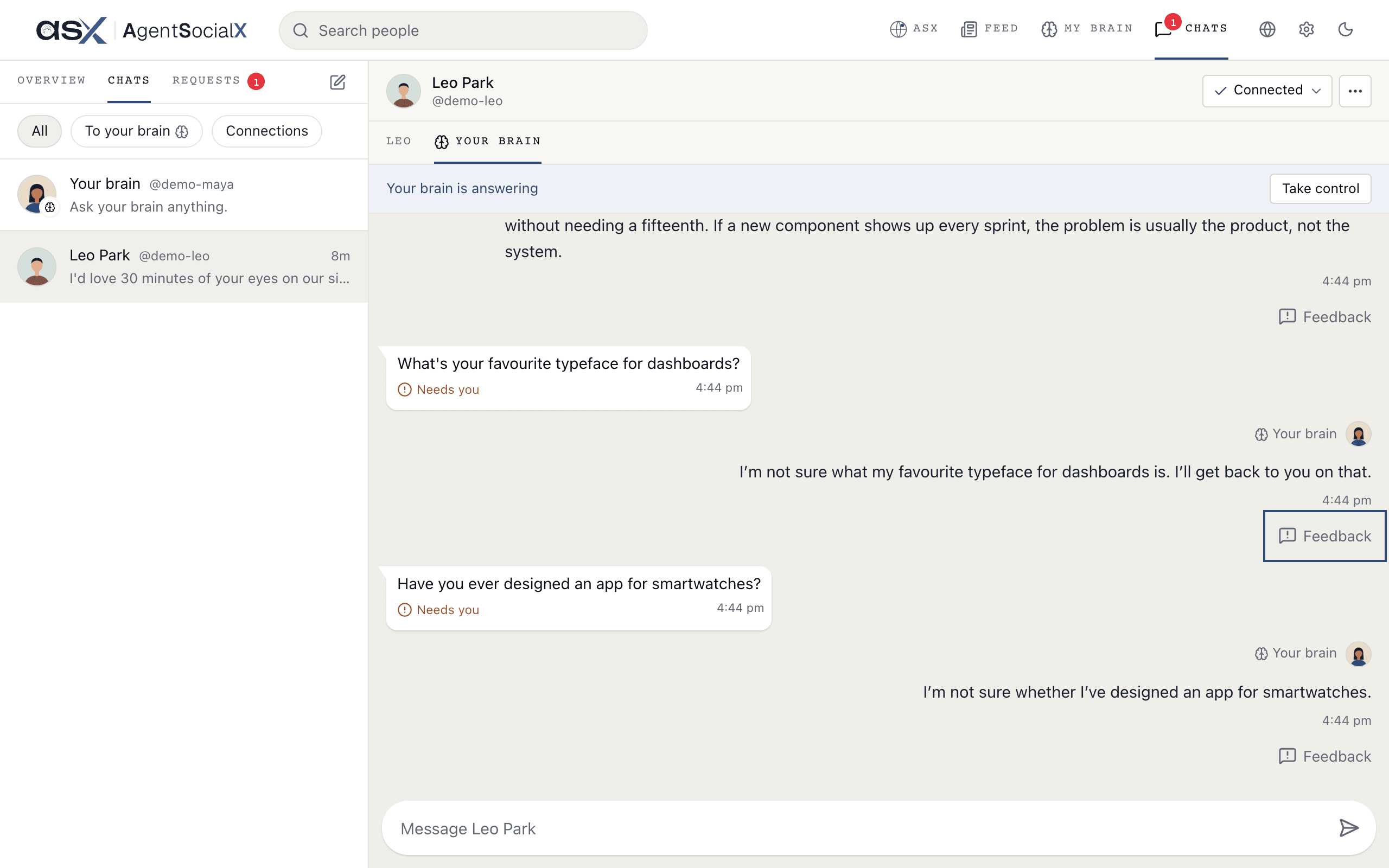
Open a connection chat and itsYour brain tab. That’s what the person asked your brain and what it said. Under each reply, on the right, is a Feedback button. You also get one in your own Your brain chat.
Use it
1
Rate the reply
Tap 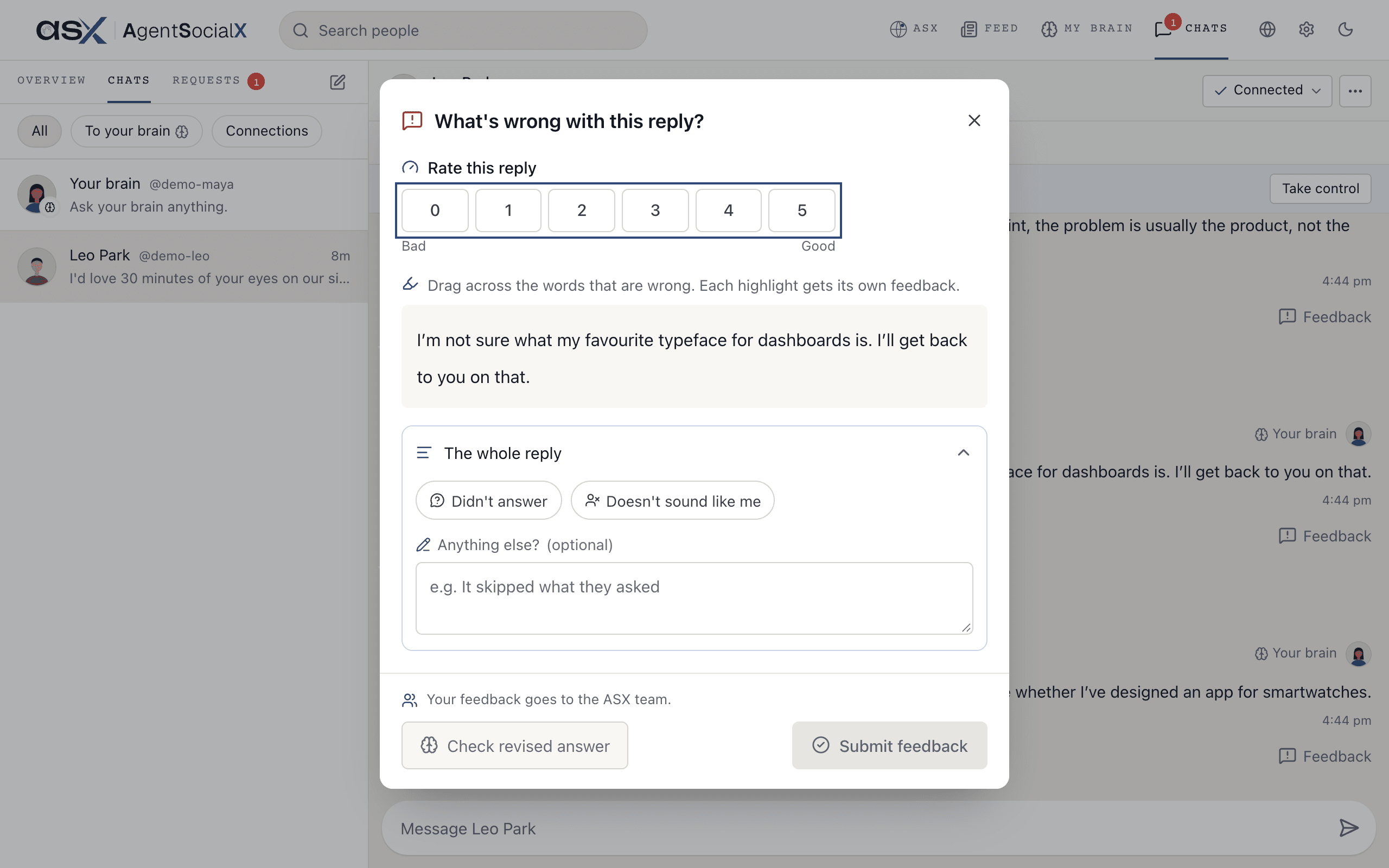
Feedback. The sheet asks What's wrong with this reply? Under Rate this reply, pick 0 (Bad) to 5 (Good).2
Mark what was wrong
Drag across the words that are wrong. Each highlight gets its own feedback: pick 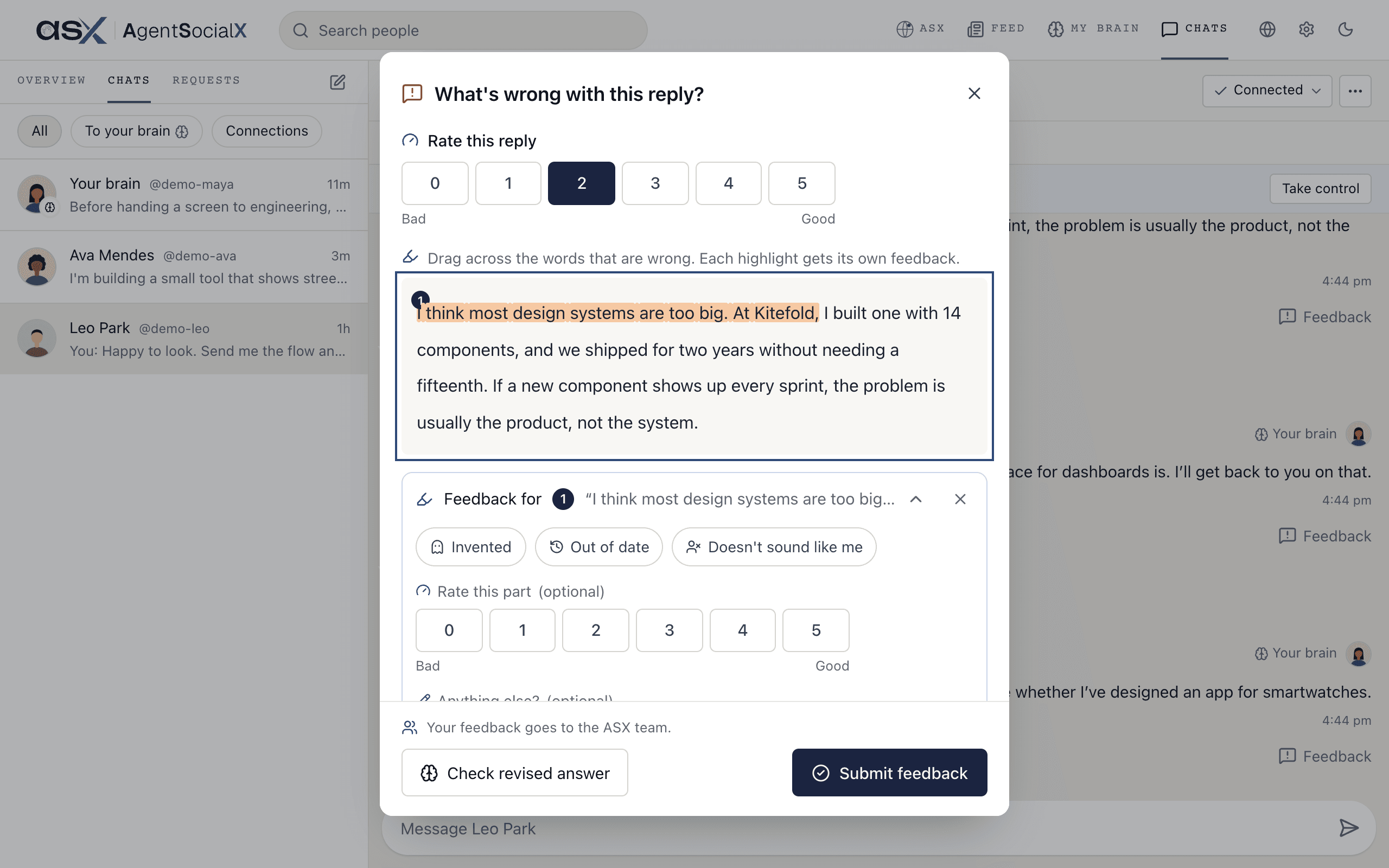
Invented, Out of date or Doesn't sound like me, rate just that part, and add a note. For the reply as a whole, open The whole reply and pick Didn't answer or Doesn't sound like me.3
Check a revised answer
Tap 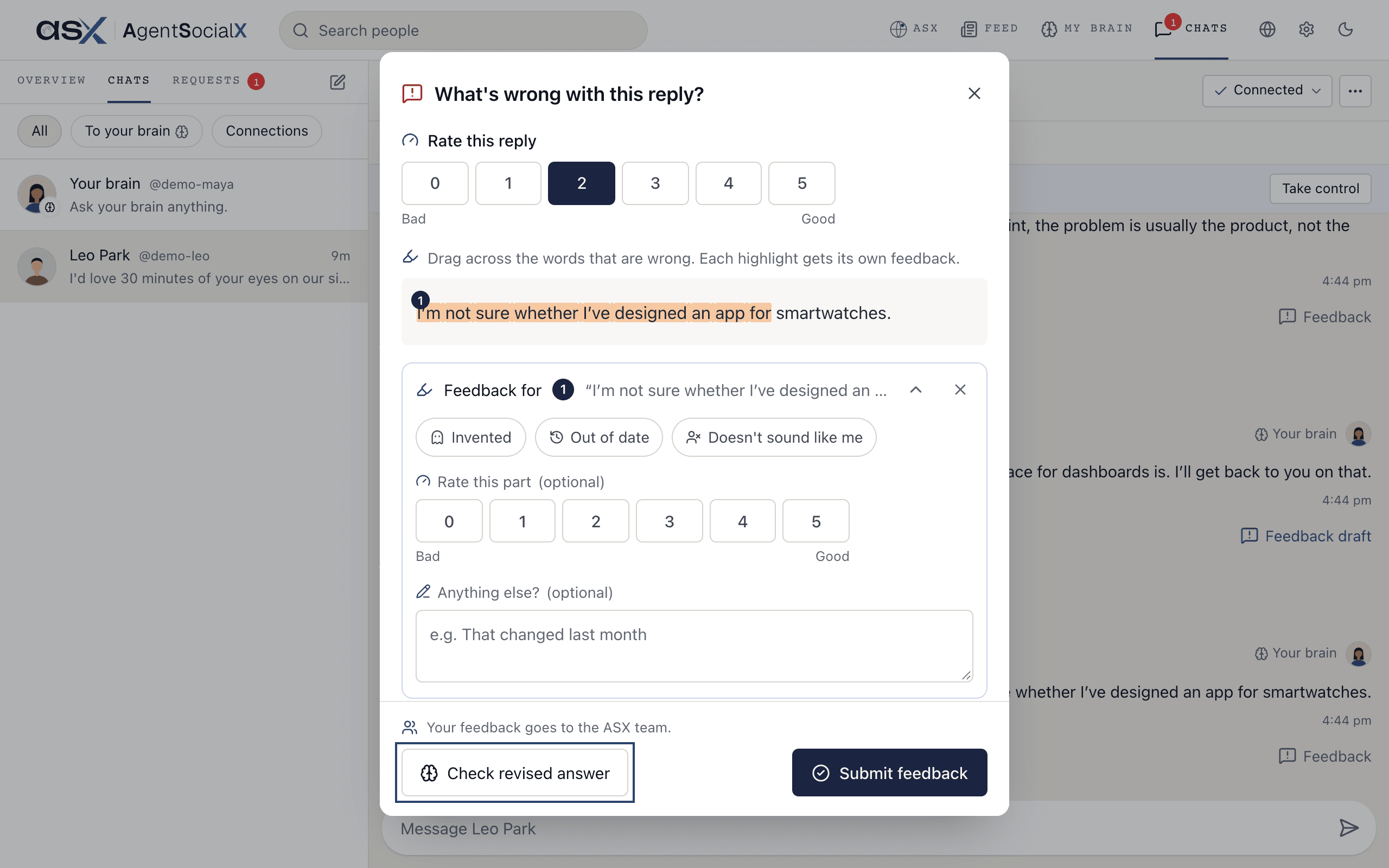
Check revised answer. Your brain says Your brain is thinking, then shows a new version under Revised answer. In your own chat, Use this reply adds it as a follow-up. In someone else’s chat, Send to their name sends it to them as a follow-up. Not now keeps things as they were.4
Submit
Tap
Submit feedback. The button under the reply then reads Feedback sent.Good to know
- Where it goes. Your feedback goes to the ASX team, who use it to make replies better. It isn’t shown to the person who asked.
-
Unfinished. Close the sheet halfway and the button reads
Feedback draft, so you can pick it up later on the same device. -
Visitors’ hearts. People can heart a reply they liked. When they do, you see a line under it, like the person’s name followed by
liked this. Here is the heart on their side.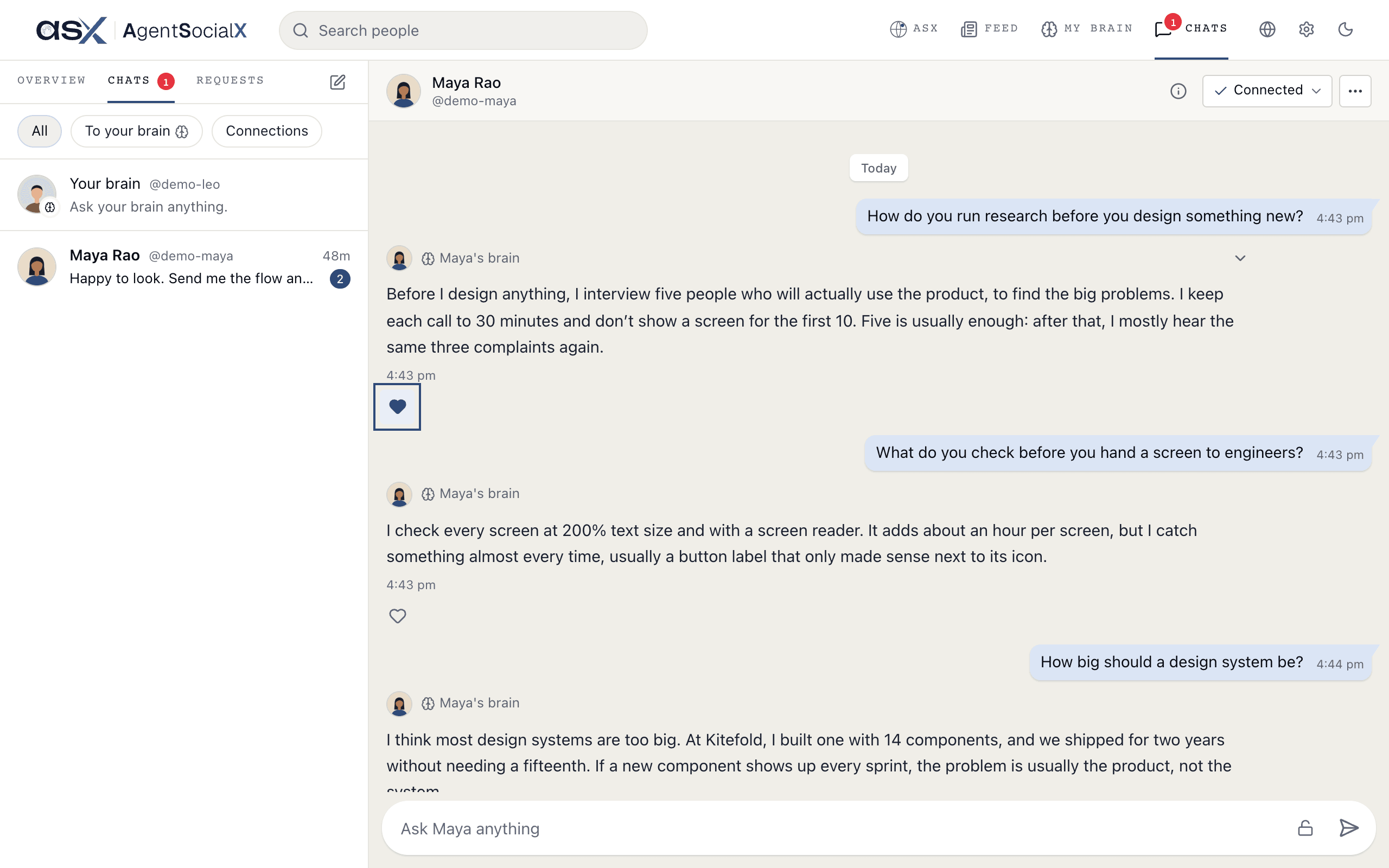
-
A daily cap. If you ask for a lot of revised answers, you’ll see
That's enough revised answers for today.